
Loading...
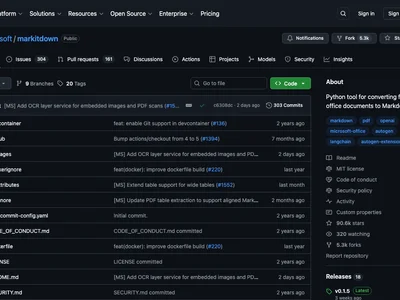
MarkItDown converts various file types to Markdown, focusing on preserving document structure for LLM consumption, with an MCP server for LLM integration.
Boost this tool
Subscribe to listing upgrades or segmented pushes.
MarkItDown converts various file types to Markdown, focusing on preserving document structure for LLM consumption, with an MCP server for LLM integration.
MarkItDown is generally safe for converting local files to Markdown, especially with plugins disabled and optional dependencies carefully selected. Using features like Azure Document Intelligence or transcription services introduces external dependencies and potential data exposure risks. Exercise caution when enabling plugins and ensure they are from trusted sources.
Performance depends on the size and complexity of the input files, as well as the performance of external services (e.g., Azure Document Intelligence, transcription services). Large files may require significant processing time.
Using external services like Azure Document Intelligence and LLMs incurs costs based on usage. Consider the cost implications when processing large volumes of documents or using computationally intensive features.
pip install 'markitdown[pdf, docx, pptx]'convertConverts a file to Markdown format.
Writes output to a file, potentially overwriting existing data.
list_pluginsLists the installed MarkItDown plugins.
Read-only operation, no side effects.
Environment Variable
MarkItDown is generally safe for converting local files to Markdown, especially with plugins disabled and optional dependencies carefully selected. Using features like Azure Document Intelligence or transcription services introduces external dependencies and potential data exposure risks. Exercise caution when enabling plugins and ensure they are from trusted sources.
Autonomy depends on the enabled plugins and configurations. Ensure plugins are from trusted sources and configurations are reviewed before enabling autonomous operation.
Production Tip
Carefully manage dependencies and use virtual environments or containers to ensure consistent and reproducible execution in production.
MarkItDown supports PDF, PowerPoint, Word, Excel, Images, Audio, HTML, Text-based formats, ZIP files, Youtube URLs, and EPubs.
Use the command `pip install 'markitdown[all]'`.
Use the `--use-plugins` option followed by the path to the plugin.
Provide the Document Intelligence endpoint using the `-d` and `-e` options, e.g., `markitdown path-to-file.pdf -o document.md -d -e '<document_intelligence_endpoint>'`.
Yes, install the `audio-transcription` optional dependency and use MarkItDown to convert audio files to Markdown.
Enabling plugins from untrusted sources can pose a security risk. Only enable plugins from trusted sources and review their code before use.
Yes, install the `youtube-transcription` optional dependency to fetch and convert YouTube video transcriptions to Markdown.